 NekoCAD
A sketch on Monday. A part in your hand on Tuesday.
Parametric history modeling, assemblies that hold their mates, and the maker end of the pipeline built in, not sold back to you as an add-on.
Sketch
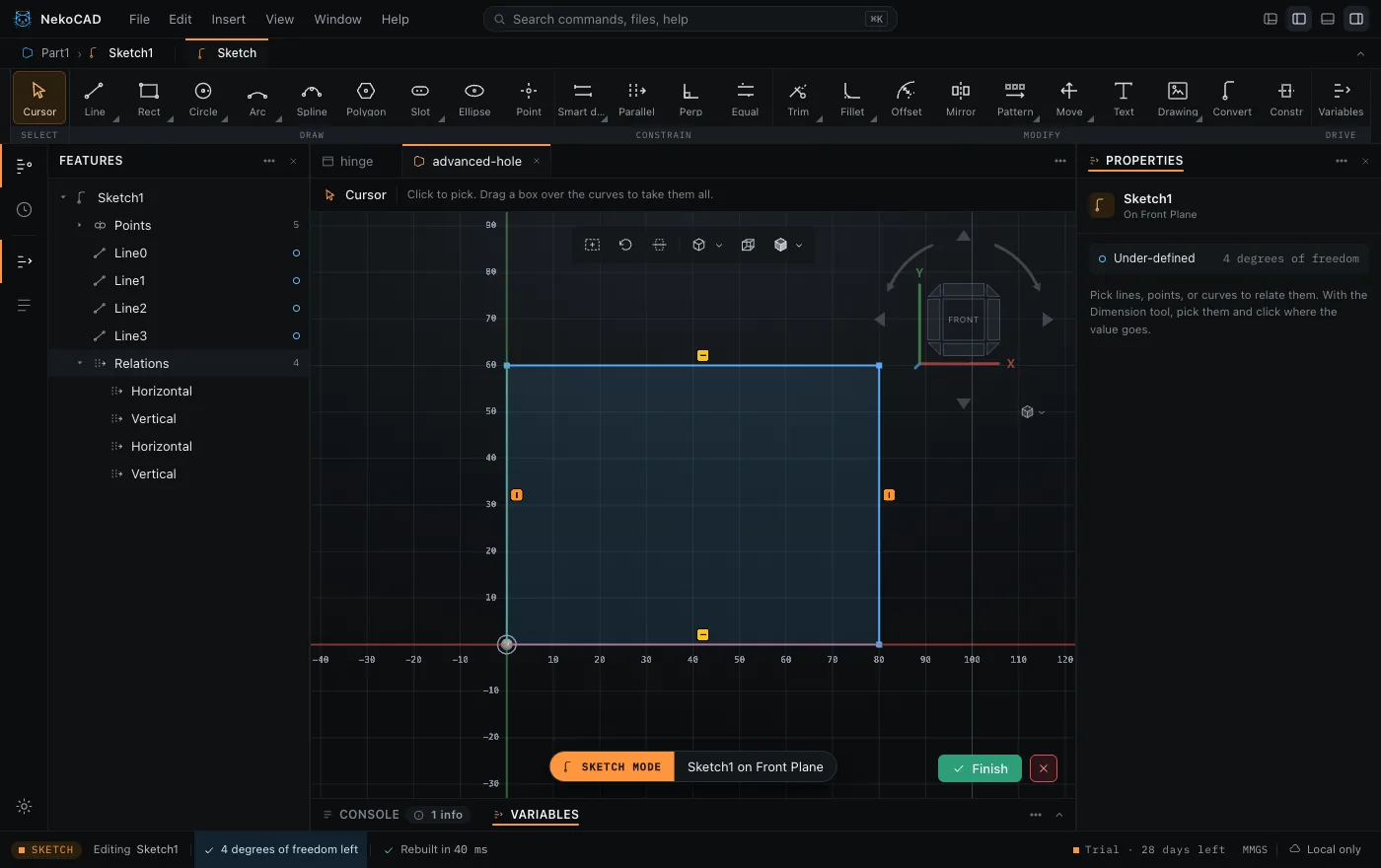
Draw on a plane, lock it with relations and dimensions. A fully defined sketch says so.
Solid
Extrude, revolve, fillet, chamfer, shell, pattern, and mirror. Roll the tree back and rebuild.
Assembly
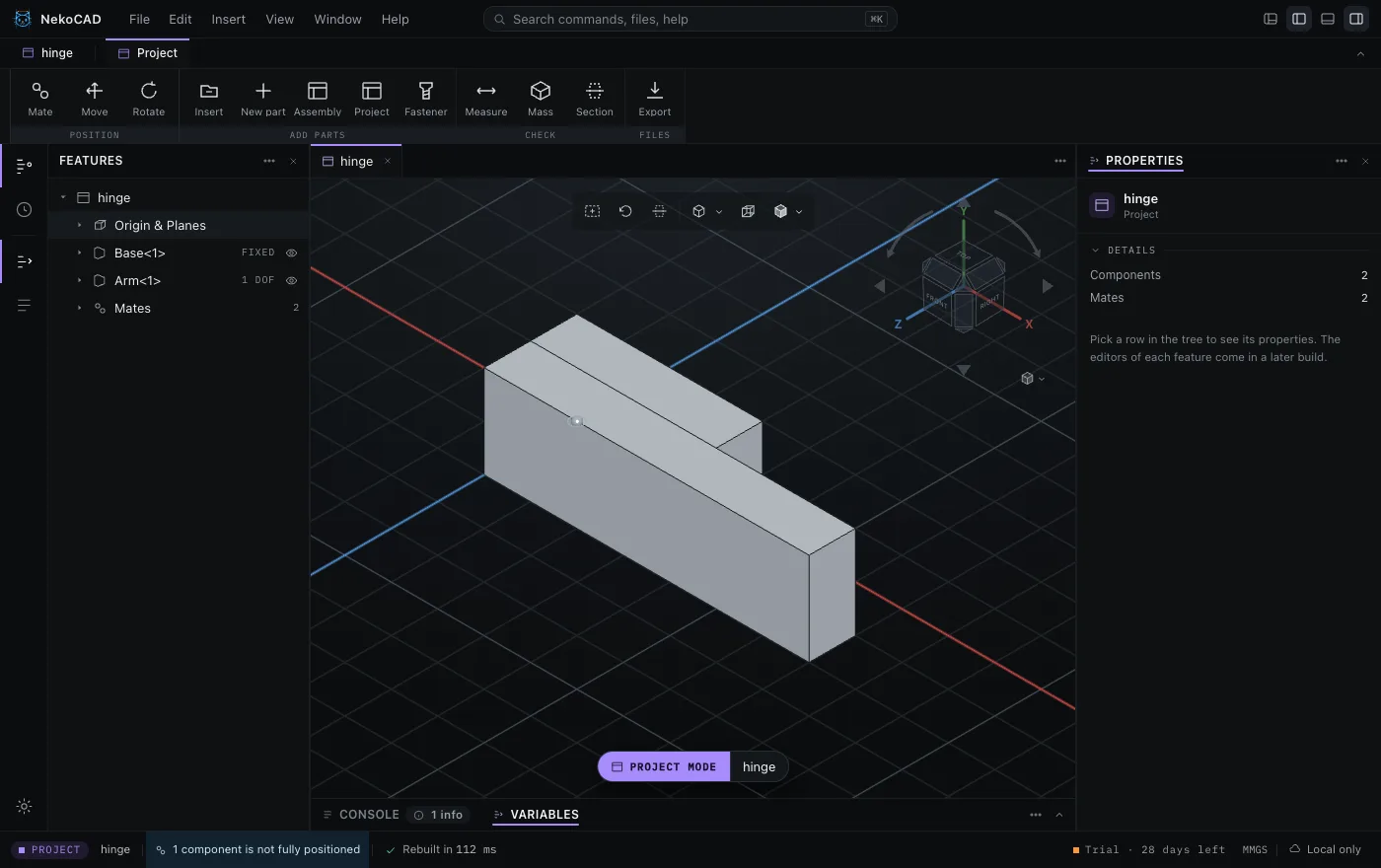
Mate the parts, see what each part can still move, and drag it to check the fit.
Make it
3MF and STL for the slicer, STEP for everyone else, DXF and SVG for the laser.
The solver tells you the truth
Snaps, construction lines, and dimensions, with a state you can read at a glance: fully defined, under-defined, or over-defined. A dimension that would over-define the sketch becomes a driven one, and says so.
Built for the machine in your garage
A hole wizard with real fastener standards, threads that match the tap in your drawer, and a fastener library. Laser work flattens to DXF or SVG. Mass and filament estimates come before you commit a print.
- ISO and UNC tables, with close, normal, and loose fits
- Modeled threads that a tap matches, and cosmetic threads that draw fast
- Screws, nuts, and washers that size themselves to the hole they go in
- 3MF with bodies and colors, for a printer with more than one filament
- Mass and a filament estimate before the print, not after it
Turn it yourself
That is a file from the app, rebuilt by the same kernel and drawn in your browser. Drag it. The thread is cut geometry, so it prints and it measures, and the countersinks on the showcase page are the same kind of thing.
See the showcaseEverything that is in the box
Not a plan, and not a wish. Every line below is in the app today, and each one has a commit behind it in the changelog.
- Lines, arcs, circles, rectangles, polygons, slots, ellipses, and splines
- Relations and dimensions, with the degrees of freedom always in view
- Trim, fillet, offset, mirror, and pattern inside the sketch
- Text and an SVG or DXF drawing, placed as one block you can size and turn
- Extrude and cut, revolve and cut revolve
- Fillet, chamfer, shell, draft, rib, stud, and intersect
- A history you can roll back, and a rebuild that says what broke
- Reference planes, axes, points, and coordinate systems
- Linear and circular patterns, and a fill that spaces a face for you
- Square, staggered, polygon, and circular fills
- Skip an instance, pattern along a curve, or pattern around an edge
- Mirror across a plane, a face, or a reference plane
- Counterbore, countersink, tapped, and heat set insert
- ISO and UNC tables, with close, normal, and loose fits
- Modeled threads that a tap matches, and cosmetic threads that draw fast
- Screws, nuts, and washers sized to the hole they go in
- Components and mates, with the degrees of freedom left on each part
- Hide, hide others, and isolate, on one key
- Edit a part in place, with the rest of the assembly around it
- Sub-assemblies that stay linked to their own file
- Measure, and mass properties with a filament estimate
- Up to three section views at once, with capped faces
- Materials and appearance colors, per part and per face
- A console that says what happened in plain sentences
- STL, 3MF with colors, OBJ, and STEP
- DXF and SVG of a sketch or a face, for the laser
- Import every format that NekoCAD reads, as a reference body
- Open in your slicer, straight from the app
- A command palette on one key, scoped to what you are doing
- Units per document: mm, cm, in, or ft
- Variables and equations, with math in every field
- Autosave, crash recovery, and recent files on the home screen
- One .nko file on your disk, with the assembly and its history
- Every release opens the files of every release before it
- No account to open a file, and no cloud in the way
- If NekoCAD ever stops, a final build with the license check removed
Hand the model to an agent
NekoCAD opens the document to an AI agent over MCP. Claude can sketch, measure, change a wall thickness, or fix a failed rebuild, and the whole session undoes as one step. It comes with a license, and the 30 day trial opens it to everybody.
A file format that keeps its promise
A project is one .nko file on your disk: the assembly, its parts, and the history. Each release opens the files of each version before it, and a test suite of saved projects holds that rule.
How it compares
Facts, no jabs. Where NekoCAD is behind, the table says so.
| Feature | NekoCAD | SOLIDWORKS for Makers | Fusion | Onshape | Alibre Atom3D | Plasticity |
|---|---|---|---|---|---|---|
| Works offline | Yes | 30 days | partly | No | Yes | Yes |
| Files on your disk | Yes | opt in | cloud first | No | Yes | Yes |
| Perpetual license | Yes | No | No | No | Yes | Yes |
| No account to start | Yes | No | No | No | Yes | Yes |
| Windows, macOS, and Linux | all three | Windows | Win, Mac | browser | Windows | all three |
| Sketch relations and feature tree | Yes | Yes | Yes | Yes | Yes | No |
| Revenue cap for commercial work | free $1k, Maker $5k | $2,000/yr | free $1,000/yr | public files | none | none |
| Document limits | none | none | 10 editable | public only | none | none |
| Simulation and CAM | No | add-ons | Yes | Yes | add-ons | No |
| Real-time co-editing | No | partly | partly | Yes | No | No |
| What it costs | $49 once | $48/yr | $680/yr | $1,500/yr | $199 once | $175 once |
NekoCAD does not do simulation, CAM, or live co-editing today. If one of those decides it for you, Fusion, Onshape, or SOLIDWORKS is the better tool, and we would rather you knew now than after paying. SOLIDWORKS for Makers costs less in year one, and it is Windows only, it needs a 3DEXPERIENCE account, it stops after 30 days offline, and it caps you at $2,000 of revenue a year. Read the row that matters to you, not the column we shaded.
Try every feature for 30 days
No card, and no account to open a file. Then keep the Free tier, or become one of 1,000 Founders for $49.